
BOOKKEEPER-BUILT TOOLS
Digital Products
Practical Excel and Google Sheets tools for UK sole traders, built by bookkeepers.
Tools for simpler bookkeeping
UK Sole Trader Accounts Book 2026/27
Excel + Google Sheets workbook
What’s included
- Income and expense logs using HMRC SA103 expense categories
- Mileage log using HMRC simplified expenses rates for 2026/27: 55p per mile for the first 10,000 eligible business miles by car or goods vehicle, 25p after, and 24p for motorcycles. Only eligible business journeys count.
- Quarterly bookkeeping summaries to help organise records for your accountant or compatible MTD software.
- Annual summary of turnover, allowable expenses and net profit
- Blank Excel workbook, a Google Sheets copy, a sample-data version and a Quick-Start Guide PDF
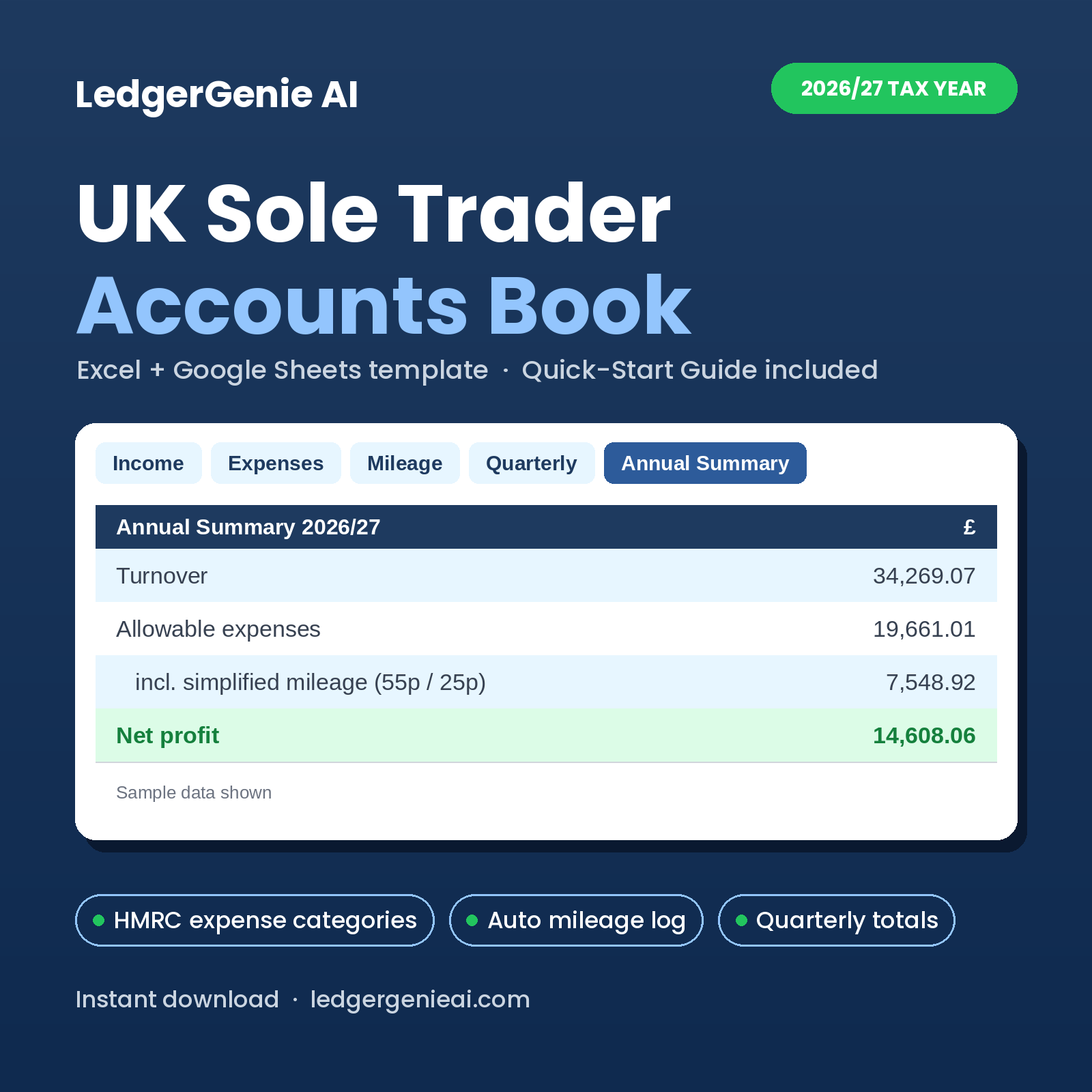
Blank Excel workbook, Google Sheets copy, sample-data version and Quick-Start Guide PDF.
Price includes UK VAT. Instant download: Excel, Google Sheets copy and Quick-Start Guide. 14-day money-back guarantee.
This workbook is a record-keeping aid, not tax or accounting advice. It is not MTD software and cannot submit returns to HMRC. Always check current rates on GOV.UK or with your accountant.
Our bookkeeping templates for UK sole traders bring income, expenses and mileage into one practical workbook. If your records are spread across paper notes and separate files, the Accounts Book gives you a place to organise them. Use the blank version for your own business, refer to the sample-data version and follow the Quick-Start Guide as you get started.
Who it’s for
- Self-employed sole traders: keep business income, expenses and eligible mileage together, with quarterly bookkeeping summaries and an Annual Summary of turnover, allowable expenses and net profit.
- Side-hustlers: organise the records for your self-employed work in Excel or Google Sheets, using the same income and expense categories throughout the tax year.
- People moving off paper or shoeboxes: move your records into the blank workbook, with a sample-data version and Quick-Start Guide to refer to along the way.
How it works
- Buy and download. Choose the Accounts Book for £12, including UK VAT. Download the Excel workbook, sample-data version and Quick-Start Guide PDF, or make your own Google Sheets copy.
- Log income, expenses and mileage. Enter your business records in the relevant logs. The workbook includes HMRC SA103 expense categories and a mileage log for eligible business journeys.
- Use your Annual Summary for Self Assessment. Copy the Annual Summary totals into the relevant parts of your Self Assessment. Check the figures and their treatment with your accountant if you are unsure.
See the UK Sole Trader Accounts Book 2026/27 for the product details and included files.
New to the 55p mileage rate? Read our guide: HMRC mileage rate 2026/27 – 55p explained (with an Excel formula).
Frequently asked questions
Excel or Google Sheets?
Both. The purchase includes a blank Excel workbook and a Google Sheets copy, alongside a sample-data version and Quick-Start Guide PDF. Choose the format you prefer for keeping your business records.
Which tax year?
This version is for the 2026/27 tax year, from 6 April 2026 to 5 April 2027. Its mileage log uses the simplified expenses rates shown in the product details above.
Does it file my tax return?
No. It organises figures for Self Assessment; it does not file a tax return or send anything to HMRC. It provides general information, not tax advice. You remain responsible for checking and submitting your return.
Refunds?
There is a 14-day money-back guarantee. Read the Terms of Service for the refund terms and how to request a refund.
